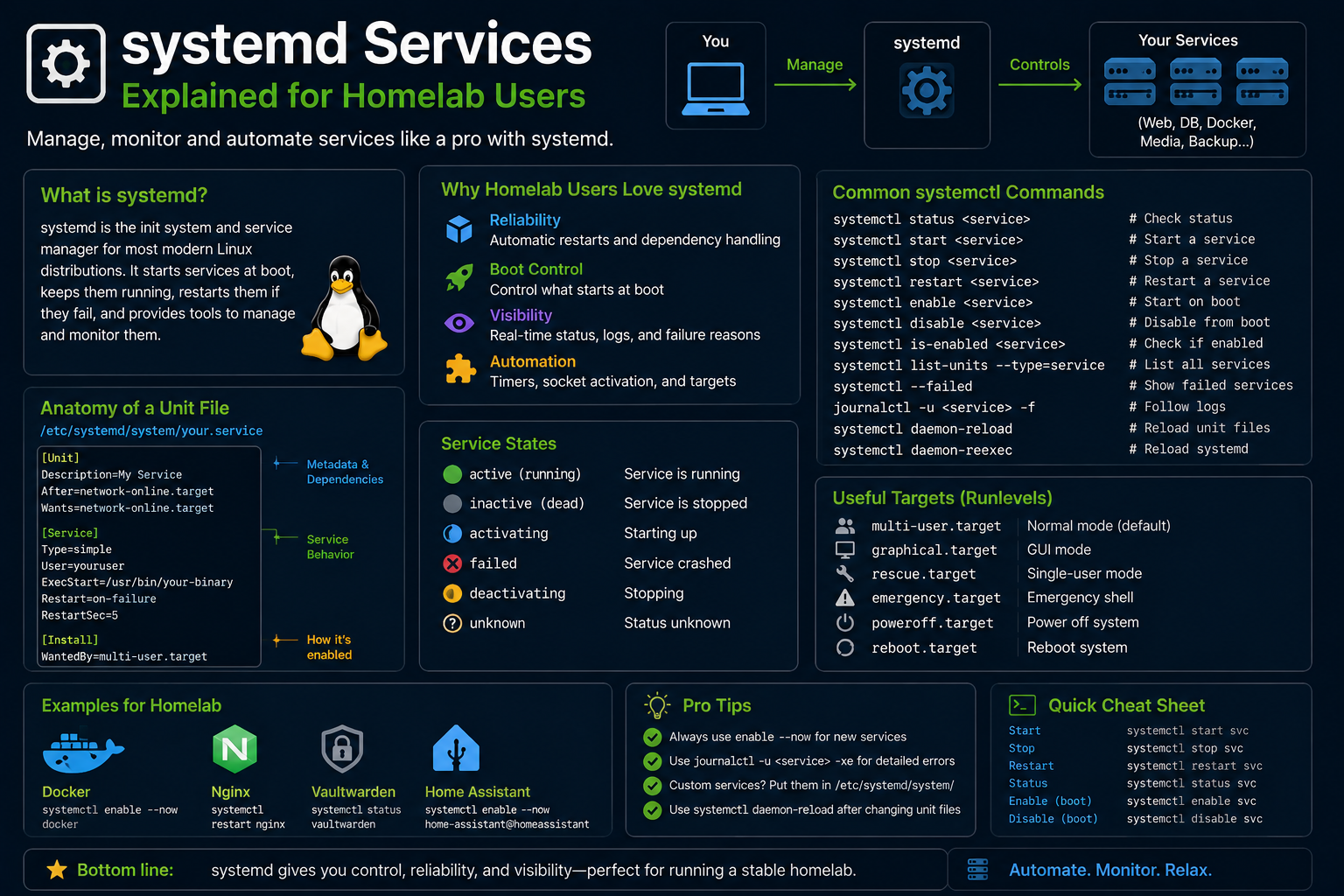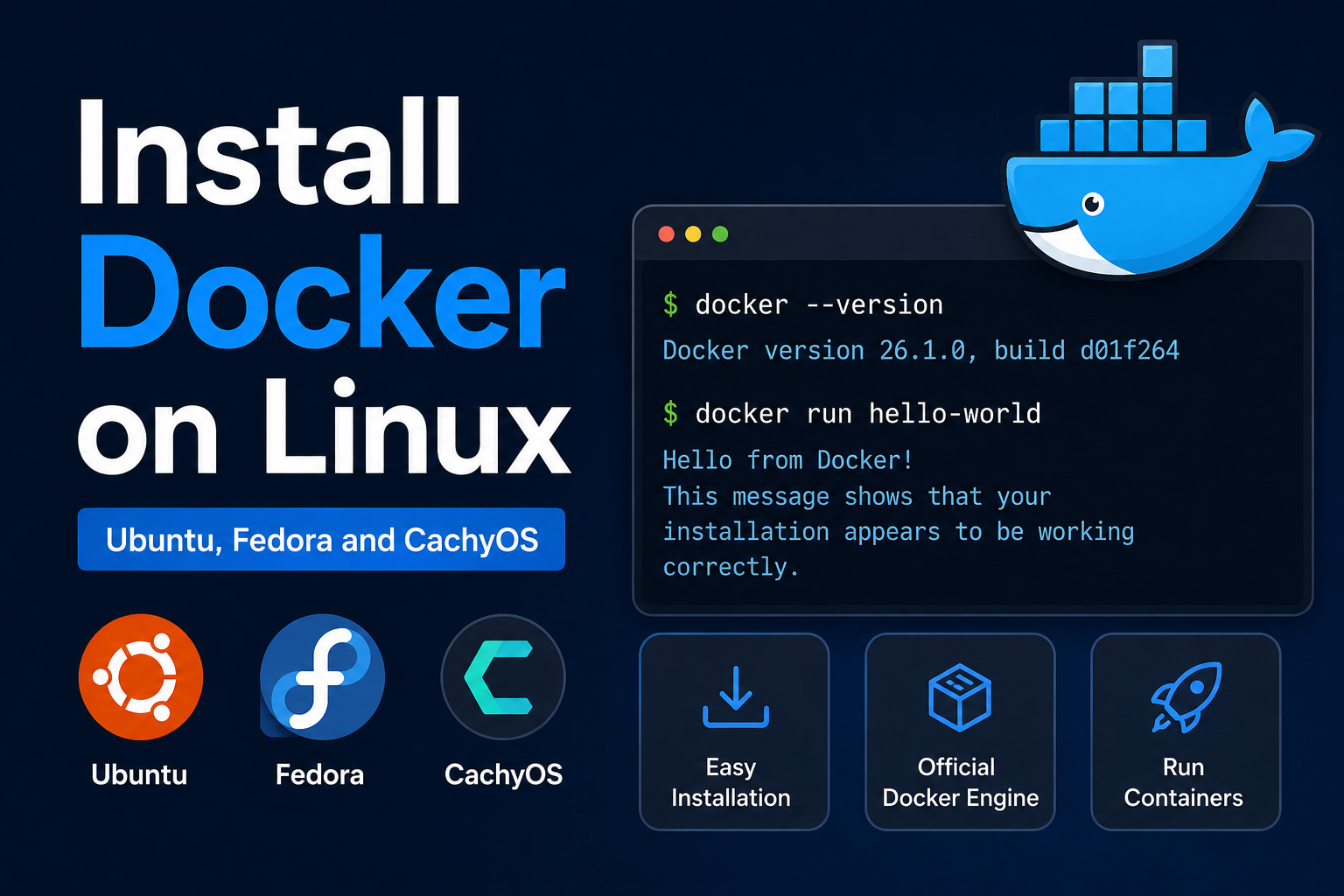
Docker turns your Linux workstation or homelab server into a reproducible application platform: isolated containers, declarative images, and compose files that survive hardware upgrades. While Podman offers rootless alternatives on Fedora and RHEL-flavored systems, Docker Engine remains the most documented path for homelab stacks—Traefik, Plex, monitoring, databases, and CI runners all ship ready-made compose examples.
This guide installs Docker Engine on Ubuntu 24.04 and Fedora 40+-class systems, configures non-root usage safely, validates with a test container, and covers common pitfalls on btrfs/ZFS, firewall conflicts, and systemd integration.
Before you begin
Confirm virtualization support on bare metal (usually enabled by default on modern CPUs):
grep -E 'vmx|svm' /proc/cpuinfo
lsmod | grep kvm
Choose storage wisely. Docker's /var/lib/docker grows quickly with images. Prefer a disk with 50 GB+ free; consider a separate partition or bind mount on homelab NAS-backed setups only if you understand latency implications.
Avoid distro-packaged docker.io surprises on Ubuntu. Official Docker CE repos track current releases and include compose plugins consistently.
Know your networking. Docker manipulates iptables/nftables rules. Custom firewall scripts and VPN kill switches may need adjustment.
Install on Ubuntu 24.04 (Docker CE)
Remove conflicting packages if you previously installed docker.io:
sudo apt remove docker.io docker-doc docker-compose docker-compose-v2 podman-docker containerd runc 2>/dev/null || true
Install prerequisites and add Docker's GPG key:
sudo apt update
sudo apt install -y ca-certificates curl gnupg
sudo install -m 0755 -d /etc/apt/keyrings
curl -fsSL https://download.docker.com/linux/ubuntu/gpg | sudo gpg --dearmor -o /etc/apt/keyrings/docker.gpg
sudo chmod a+r /etc/apt/keyrings/docker.gpg
Add repository:
echo "deb [arch=$(dpkg --print-architecture) signed-by=/etc/apt/keyrings/docker.gpg] https://download.docker.com/linux/ubuntu $(. /etc/os-release && echo "$VERSION_CODENAME") stable" | sudo tee /etc/apt/sources.list.d/docker.list > /dev/null
Install Engine and plugins:
sudo apt update
sudo apt install -y docker-ce docker-ce-cli containerd.io docker-buildx-plugin docker-compose-plugin
Enable and start:
sudo systemctl enable --now docker
sudo systemctl status docker
Install on Fedora (Docker CE)
sudo dnf -y install dnf-plugins-core
sudo dnf config-manager --add-repo https://download.docker.com/linux/fedora/docker-ce.repo
sudo dnf install -y docker-ce docker-ce-cli containerd.io docker-buildx-plugin docker-compose-plugin
sudo systemctl enable --now docker
Alternatively, Fedora users may prefer rootless Podman for tighter SELinux integration—Docker instructions remain valid when compatibility with Docker-centric compose repos matters.
Run Docker as non-root
Add your user to the docker group:
sudo usermod -aG docker $USER
newgrp docker   # or log out and back in
Verify:
docker run --rm hello-world
docker ps
Security note: docker group members effectively have root-equivalent access via mounted host sockets. On multi-user systems, use rootless Docker or Podman instead of sharing the group.
Validate compose and buildx
docker compose version
docker buildx version
mkdir -p ~/docker-test && cd ~/docker-test
cat > compose.yaml <<'EOF'
services:
  web:
    image: nginx:alpine
    ports:
      - "8080:80"
EOF
docker compose up -d
curl -I http://localhost:8080
docker compose down
Configure daemon defaults (optional)
Create or edit /etc/docker/daemon.json:
{
  "log-driver": "json-file",
  "log-opts": {
    "max-size": "10m",
    "max-file": "3"
  }
}
Apply:
sudo systemctl restart docker
On homelab nodes, log rotation prevents /var/lib/docker from filling root filesystems silently.
Linux post-install checklist for homelab
# Pin critical images for air-gapped awareness
docker pull traefik:v3.0
docker pull prom/prometheus

# Show disk usage
docker system df

# Prune unused objects periodically
docker system prune -f
Integrate with reverse proxies by attaching containers to user-defined bridge networks—avoid publishing admin panels to 0.0.0.0 without authentication.
Rootless Docker (alternative model)
Rootless Docker runs daemons as your user, mapping container UIDs and using slirp4netns for networking—slower in some benchmarks but safer on shared workstations:
dockerd-rootless-setuptool.sh install
export DOCKER_HOST=unix://$XDG_RUNTIME_DIR/docker.sock
docker run hello-world
Fedora often steers users toward Podman for rootless by default:
podman run --rm hello-world
podman compose up -d
Choose Docker CE when compose repos and tutorials assume docker compose; choose rootless Podman when SELinux confinement and multi-user machines matter.
Production-oriented compose patterns
Homelab stacks benefit from explicit conventions:
services:
  app:
    image: ghcr.io/org/app:1.2.3
    restart: unless-stopped
    env_file: .env
    networks:
      - internal
    volumes:
      - ./data:/data:Z
    healthcheck:
      test: ["CMD", "curl", "-f", "http://localhost:8080/health"]
      interval: 30s
      timeout: 5s
      retries: 3

networks:
  internal:
    driver: bridge
Pin image digests for critical services after initial validation—:latest breaks homelabs silently on pull.
Separate project directories per stack (~/docker/traefik, ~/docker/monitoring) with .env files never committed to git.
Docker socket security
Mounting /var/run/docker.sock into containers grants host control equivalent to root. Traefik and Portainer legitimately need it; random GitHub compose files should not get socket mounts without understanding blast radius.
For CI runners on homelab metal, consider isolated Docker contexts or dedicated VM runners instead of sharing the host socket with untrusted build pipelines.
Backup and migration
docker run --rm -v app_data:/data -v $(pwd):/backup alpine tar czf /backup/app_data.tgz /data
Document image versions and compose files in git—rebuildability beats backing up entire /var/lib/docker unless you operate registry mirrors.
Monitoring Docker health in homelab
docker ps --format 'table {{.Names}}    {{.Status}} {{.Ports}}'
docker stats --no-stream
docker events --since 1h --until now
Integrate with Prometheus cAdvisor or Docker's metrics plugin for historical graphs—terminal checks suffice until you operate more than a handful of stacks.
Watch for exit code patterns in docker ps -a—containers with Restarting status indicate misconfiguration or missing dependencies (database not ready, wrong env vars).
Uninstall and clean slate
When migrating to Podman or rebuilding a corrupted engine:
sudo systemctl stop docker
sudo apt purge -y docker-ce docker-ce-cli containerd.io docker-compose-plugin
sudo rm -rf /var/lib/docker /etc/docker
sudo apt autoremove -y
Reinstall only after confirming no critical data remains only in unnamed volumes—docker volume ls first.
Document registry mirror settings if you pull frequently from GHCR/Docker Hub to avoid rate limits on homelab rebuilds.
Troubleshooting
Cannot connect to Docker daemon. User not in docker group, or service stopped:
sudo systemctl start docker
groups
Permission denied on socket. Re-login after usermod; check /var/run/docker.sock ownership.
iptables/nftables conflicts (UFW enabled). Docker bypasses UFW rules for published ports by design. Use ufw-docker community scripts or bind services to localhost behind a reverse proxy.
DNS failures inside containers. Custom systemd-resolved setups may need "dns": ["1.1.1.1","8.8.8.8"] in daemon.json on problematic networks.
ZFS/btrfs storage driver errors. Install docker-ce-rootless-extras or configure proper storage driver (overlay2 preferred on ext4/xfs).
SELinux denials on Fedora. Label bind mounts :z or :Z in compose volumes when enforcing SELinux.
Out of disk space. docker system df then prune images/containers; move /var/lib/docker via systemd drop-in if needed.
Key takeaways
- Install Docker CE from official repos on Ubuntu/Fedora for current Engine and Compose v2 plugins.
- Add your user to the
dockergroup only on single-user workstations; understand the privilege implications. - Validate with
hello-worldand a compose nginx test before deploying homelab stacks. - Configure log rotation and monitor disk usage under
/var/lib/docker. - Plan networking/firewall rules before exposing services—Docker publishes ports aggressively by default.
FAQ
Docker vs Podman?
Docker has the widest compose ecosystem; Podman excels at rootless and SELinux on Fedora/RHEL. Many homelabbers use Docker for compatibility.
Do I need Docker Desktop on Linux?
No. Docker Desktop targets macOS/Windows GUI users. Linux uses Engine directly.
Can Docker run systemd units inside containers?
Possible but discouraged for app containers; use systemd on the host and containers for processes.
How to auto-start compose stacks?
Use systemd units, restart: unless-stopped policies, or orchestrators (Swarm/Kubernetes) depending on scale.