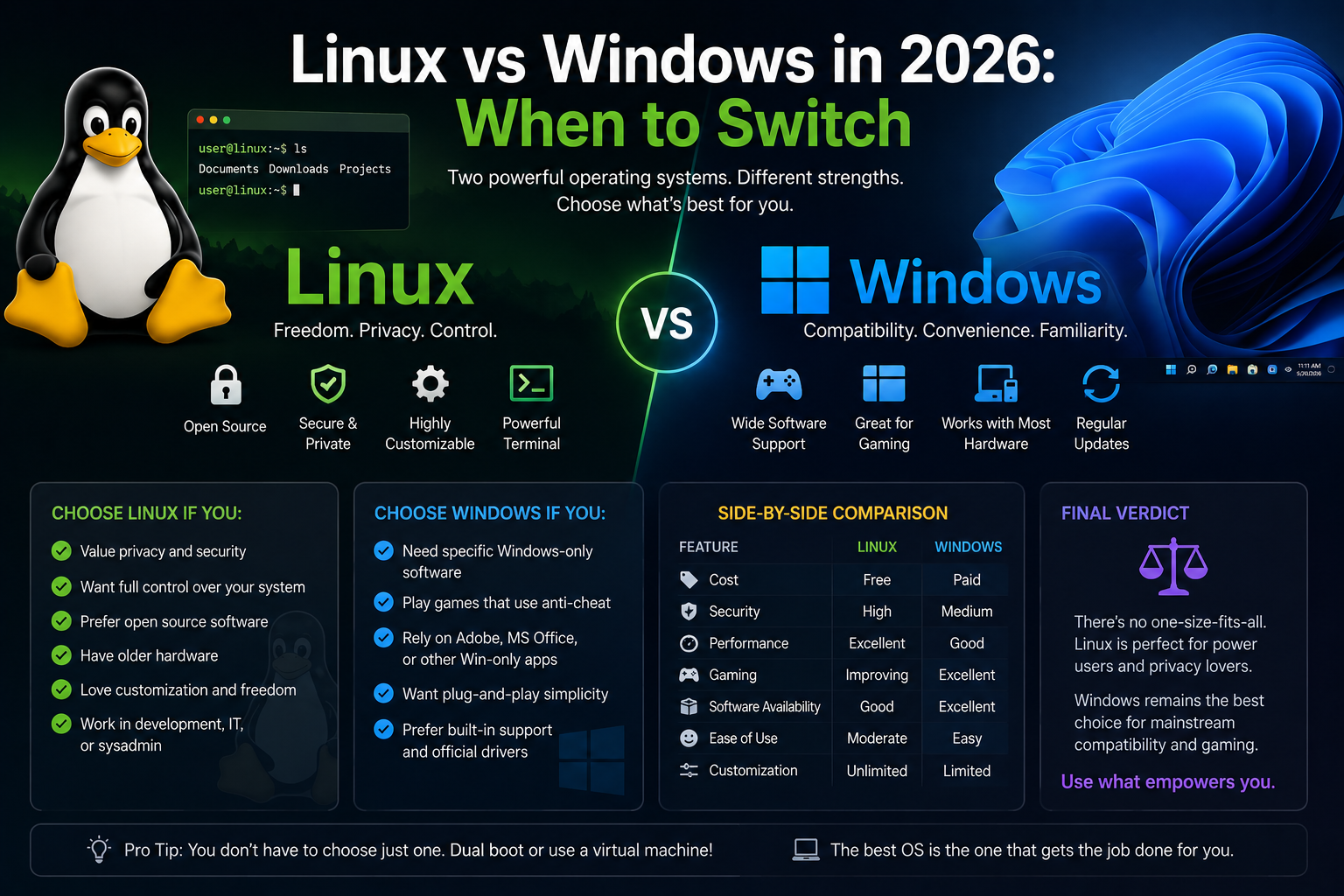
The Linux-versus-Windows debate in 2026 is no longer about whether Linux can replace Windows on a developer workstation—it clearly can—but about where each OS wins on cost, workflow, gaming, security model, and homelab integration. Windows 11 remains the default corporate desktop and the gaming platform with the fewest surprises. Linux distributions offer transparent updates, powerful automation, container-native tooling, and freedom from license audits on spare hardware.
This comparison is written for developers, IT-adjacent homelab builders, and power users evaluating a primary or secondary OS—not for ideological converts. We focus on practical trade-offs you will feel in daily work.
Before you begin
Clarify your evaluation criteria:
- Software dependencies: Adobe Creative Cloud, native Microsoft Office macros, niche CAD tools, and some DRM-heavy games still anchor users to Windows.
- Hardware: Recent laptops with hybrid graphics, fingerprint readers, and suspend/resume quirks may need distro-specific tuning on Linux.
- Management: Domain join, Intune, and enterprise compliance tools favor Windows in managed environments.
- Learning goals: If your homelab teaches systemd, containers, and SSH, Linux on metal or as daily driver accelerates that skill stack.
Test Linux on non-critical hardware first: live USB, spare partition, or a VM with GPU passthrough if gaming matters.
Cost and licensing
Windows: OEM licenses ship with new PCs. Standalone Pro licenses and enterprise agreements carry ongoing cost. Windows 11 Home/Pro updates are bundled, but feature cadence and telemetry settings remain Microsoft-controlled.
Linux: No license fee for mainstream distros (Ubuntu, Fedora, Mint, Pop!_OS, Arch). Support contracts exist (Ubuntu Pro, RHEL) but are optional for homelab and personal use. You pay with time spent learning and occasional hardware compatibility work.
For homelab nodes—Proxmox hosts, Docker servers, CI runners—Linux eliminates Windows Server licensing overhead unless Active Directory integration is mandatory.
Development and DevOps workflows
Linux strengths:
- Native bash, SSH, symlinks, and file permissions match production servers.
- Docker/Podman rootless containers integrate cleanly; WSL2 on Windows is good but adds a virtualization layer.
- Package managers (
apt,dnf,pacman) and reproducible configs (Ansible, cloud-init) align with infrastructure-as-code habits. - Case-sensitive filesystems avoid cross-platform deployment bugs discovered late.
Windows strengths:
- Visual Studio, .NET Framework legacy apps, and some game engines/tools target Windows first.
- WSL2 provides a credible Linux userland without dual-booting—excellent hybrid approach.
- Docker Desktop on Windows works but historically lagged Linux in networking and bind-mount performance (improved over time, still worth benchmarking for your stack).
Verdict for developers: Web, cloud, data, and Linux-native stacks favor Linux or WSL2. Windows-native enterprise app development still favors Windows.
Gaming in 2026
Windows remains the path of least resistance for anti-cheat-heavy titles, Xbox Game Pass native games, and streaming setups with minimal tuning.
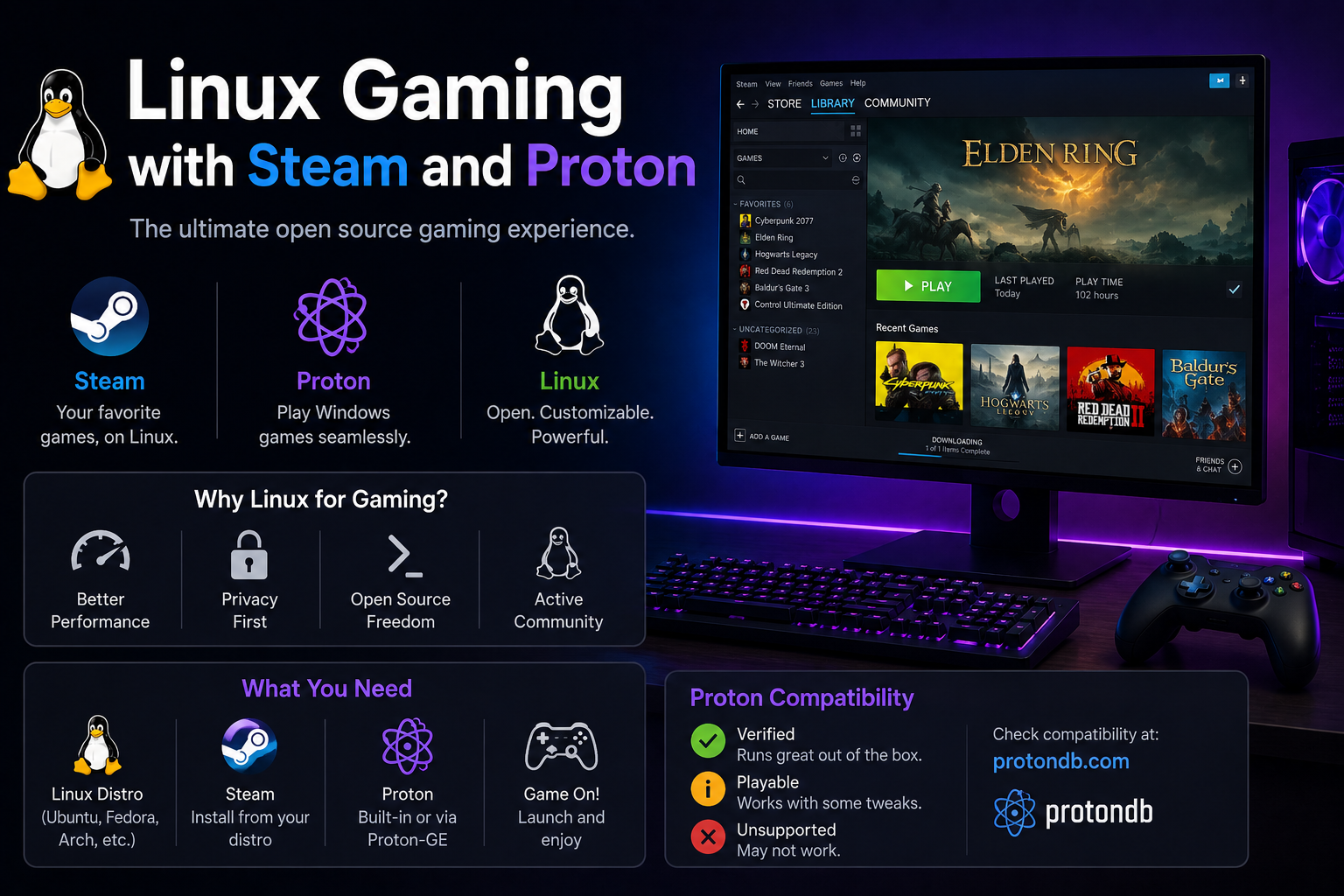
Linux gaming via Steam and Proton covers a large Steam library; ProtonDB is the pre-purchase checklist. NVIDIA and AMD drivers on Linux are mature for single-GPU desktops. Anti-cheat gaps persist for some competitive shooters.
# Quick Steam + Proton enable on Ubuntu/Fedora
# Install Steam from official repos or Flatpak
# Settings → Compatibility → Enable Steam Play for all titles
For a dual-purpose gaming/dev PC, many users keep Windows on one disk or partition and Linux on another rather than forcing one OS to do everything.
Security and privacy models
Windows: Centralized update cadence, Defender antivirus, BitLocker, and enterprise MDM. Telemetry and advertising features in consumer builds motivate hardening guides and third-party debloat scripts— workable but contentious.
Linux: Package updates are transparent; you see what changes via changelogs. No mandatory antivirus for typical desktop use. SELinux (Fedora/RHEL) and AppArmor (Ubuntu) provide MAC frameworks. Responsibility shifts to you for timely updates, SSH exposure, and third-party script execution.
Homelab servers on Linux should still follow baseline hardening: non-root SSH, fail2ban or firewall limits, automatic security updates.
Desktop UX and polish
Windows 11 offers cohesive OEM driver bundles, predictable sleep/wake on laptops, and broad peripheral support. Linux DEs (GNOME, KDE Plasma, Cinnamon) vary; polish depends on distro QA and your hardware. Wayland sessions improve multi-monitor and fractional scaling but occasionally break screen sharing in older apps.
Printing, VPN clients, and biometric login are historically weaker on Linux; check your employer's VPN and MFA requirements before switching full-time.
Homelab and self-hosted alignment
Most homelab staples—Proxmox VE, TrueNAS SCALE plugins, Docker hosts, reverse proxies, monitoring stacks—assume Linux. Running the same OS family on desktop and server reduces cognitive load:
# Skills that transfer directly
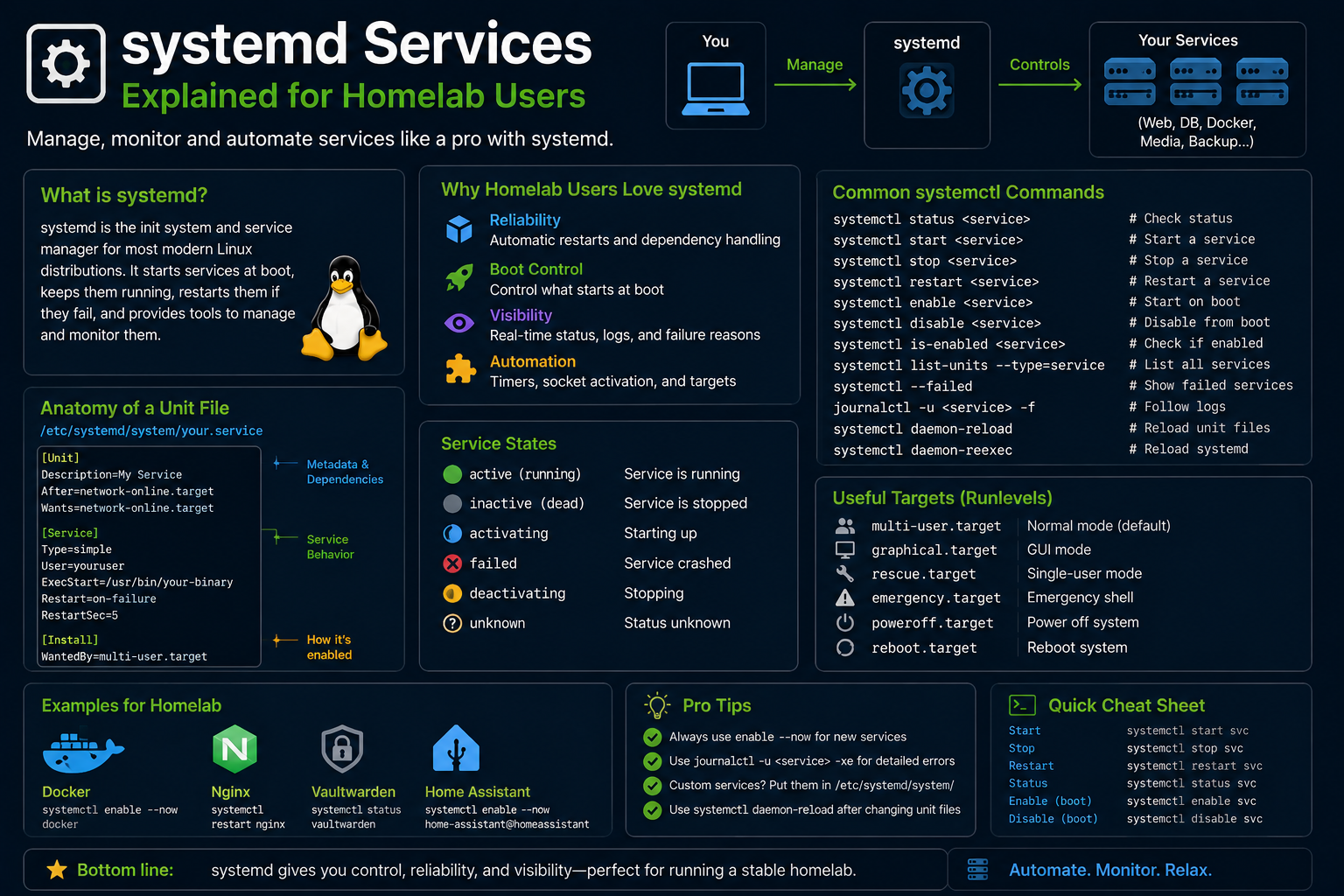
journalctl -u docker
systemctl status nginx
ssh -i ~/.ssh/id_ed25519 user@homelab.local
Windows excels as a gaming HTPC client or when running specific Windows-only VMs under Hyper-V or Proxmox. Many homelabbers run Linux everywhere except one Windows VM for tax software or legacy tools.
When to choose which
| Scenario | Prefer |
|---|---|
| Corporate managed laptop | Windows (often mandatory) |
| Cloud/backend development | Linux or WSL2 |
| Steam library with anti-cheat risk | Windows primary |
| Self-hosted infra learning | Linux on metal |
| Mixed household PC | Dual-boot or Linux + Windows VM |
| Older hardware revival | Linux Mint or lightweight DE |
Troubleshooting the hybrid approach
WSL2 vs native Linux confusion. Keep project files in the WSL filesystem (\wsl$) when using Linux tooling on Windows—not slow /mnt/c binds for node_modules-heavy repos.
Line ending and permission issues in Git. Set core.autocrlf appropriately; avoid committing executable bits incorrectly on cross-platform repos.
OneDrive/cloud sync with Linux. Use rclone or vendor clients with known limitations; do not expect identical OneDrive integration as on Windows.
GPU passthrough complexity. If Linux gaming performance is insufficient, VFIO passthrough from a Linux hypervisor to a Windows VM is advanced—dual-boot is simpler for most.
Compatibility layers and virtual machines
Wine/Proton translate Windows APIs on Linux—they are not emulators in the DOSBox sense but compatibility layers with real performance overhead varying by title. QEMU/KVM runs full Windows VMs on Linux with near-native CPU performance when configured correctly; GPU passthrough assigns a physical GPU to the guest.
WSL2 architecture: Windows hosts a lightweight utility VM running Linux kernel 6.x; Linux filesystem lives in a virtual disk. Networking uses NAT by default with optional mirrored mode improvements. File I/O across /mnt/c remains slower than native Linux ext4 for heavy dev workloads—benchmark your npm install or cargo build before choosing WSL2-only.
Cross-platform IDEs: VS Code, JetBrains, and Cursor run on both OSes; remote SSH development to Linux homelab hosts from Windows clients is a popular pattern that avoids switching desktop OS entirely.
Licensing and audit considerations
Organizations tracking Windows licenses benefit from Linux on secondary machines—old laptops revived as jump boxes, CI runners, or monitoring nodes without incremental Windows Server CAL complexity for every internal service. Compliance still applies: GPL obligations when distributing modified software, vendor support contracts for RHEL/Ubuntu Pro if required by policy.
Personal homelab users rarely face audits but should document what runs where—useful when deciding whether a service belongs on Proxmox (Linux) versus a Windows VM for Active Directory integration.
Peripheral and workflow friction points
Fingerprint readers, custom keyboard macros, and vendor utilities (Logitech Options, Corsair iCUE) vary in Linux support—check community forums for your exact models before switching a daily driver laptop.
Multi-monitor USB-C docks occasionally need kernel quirk fixes or DisplayLink drivers on Linux; Windows OEM driver bundles sometimes handle hybrid dock firmware better on day one.
Printing via IPP everywhere works for network printers; proprietary USB multifunction devices may need HPLIP or manufacturer-specific packages.
Key takeaways
- Windows wins on managed enterprise tooling, niche proprietary apps, and frictionless AAA gaming with restrictive anti-cheat.
- Linux wins on server parity, automation, licensing cost on spare hardware, and transparent control of updates and telemetry.
- WSL2 is a credible middle ground for developers not ready to leave Windows entirely.
- Dual-boot or hybrid VMs beat forcing one OS for every workload in 2026.
- Choose based on software you cannot replace, not forum rhetoric—run a two-week trial on real projects.
FAQ
Is Linux harder than Windows?
Different, not universally harder. Package managers and CLI troubleshooting have learning curves; daily GUI tasks are comparable on mature distros.
Will Linux run Microsoft Office?
Web apps and LibreOffice cover many cases; complex Excel macros and Outlook MAPI often require Windows or web-only workflows.
Can I contribute to open source more easily on Linux?
Toolchains for many projects assume Unix-like environments—Linux and WSL2 both help.