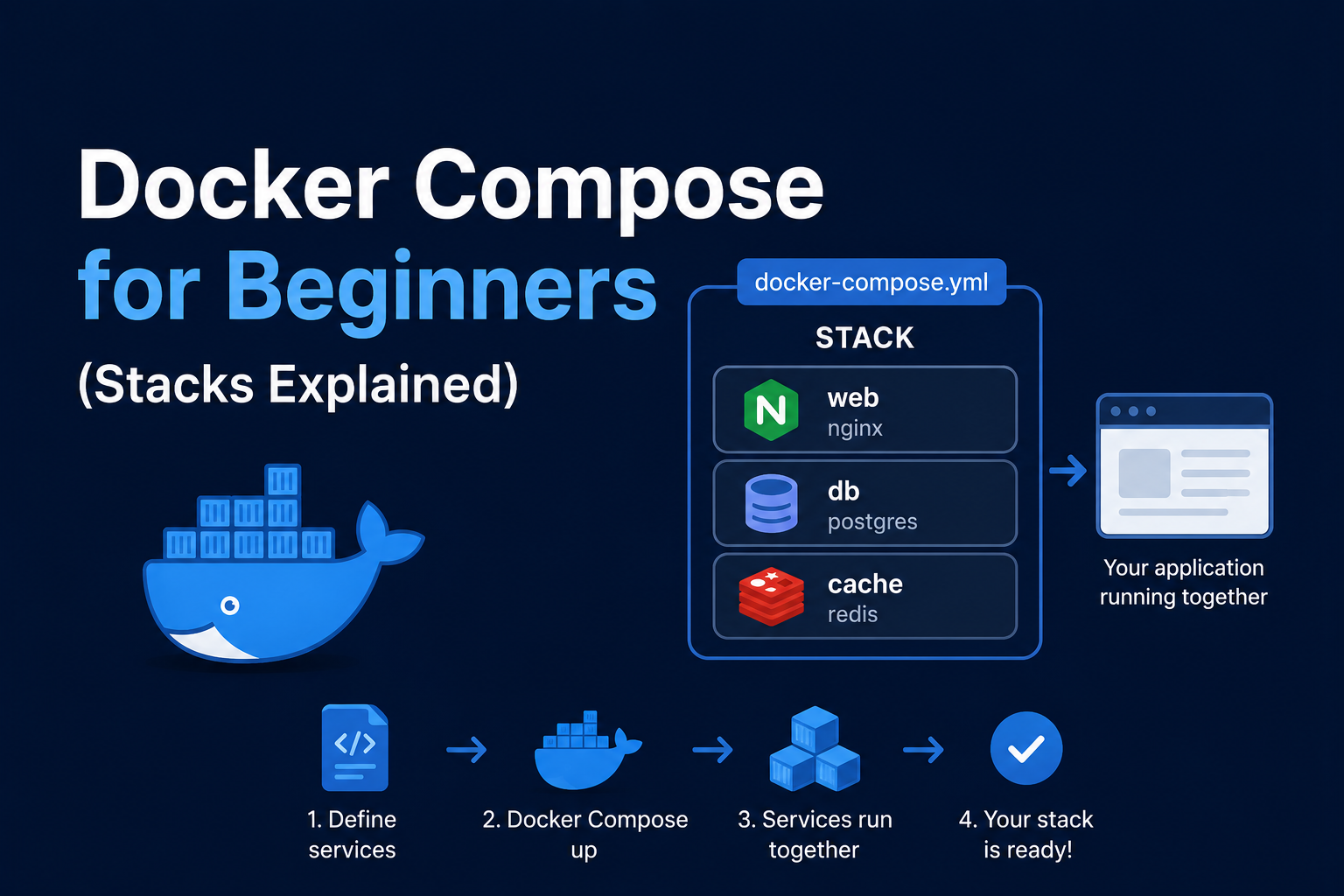
Docker Compose is the homelab standard for declaring multi-container applications in YAML versioned beside
README files and .env secrets. If you have been running one-off docker run commands, Compose converts
fragile shell history into reproducible stacks you can redeploy after hardware failure. This beginner guide
explains project structure, service keys, networks and volumes, environment files, common commands, security
basics, how Compose interacts with reverse proxies, backups, and first troubleshooting steps—without assuming
prior orchestration experience.
Prerequisites
Install Docker Desktop or Docker Engine on Linux with the Compose plugin (docker compose version). Learn
basic Docker concepts: images, containers, layers, and registries. Create a working directory per app, e.g.
~/docker/whoami. Rootless Docker is optional advanced topic; this guide assumes standard Linux install.
Anatomy of docker-compose.yml
Compose file version 3+ (Compose Specification) defines services, networks, volumes, and optional configs
/secrets. A minimal service:
services:
  web:
    image: nginx:alpine
    ports:
      - "8080:80"
    restart: unless-stopped
ports publishes container port 80 to host 8080. restart: unless-stopped survives reboots. Run docker compose up -d
from the directory containing the file; -d detaches.
Volumes and persistence
Containers are ephemeral; data in /tmp inside dies on remove. Bind mounts map host paths:
volumes:
  - ./html:/usr/share/nginx/html:ro
Named volumes survive docker compose down without -v:
volumes:
  app_data:

services:
  db:
    image: postgres:16
    volumes:
      - app_data:/var/lib/postgresql/data
Homelab databases and config dirs should always use volumes you backup.
Networks
Default bridge isolates stacks unless you connect them. Create shared proxy network once:
docker network create proxy
Then attach services:
networks:
  proxy:
    external: true
Services on the same network resolve each other by service name http://web:80.
Environment and secrets
Use .env for non-secret defaults (TZ=America/New_York). Never commit real passwords; reference ${POSTGRES_PASSWORD}
in compose and keep .env out of git via .gitignore. Docker secrets (Swarm) are rare in homelabs; prefer
external vault or restricted .env permissions.
Daily commands
docker compose up -d deploy, docker compose pull update images, docker compose logs -f service tail logs,
docker compose ps status, docker compose down stop without deleting volumes, docker compose exec service sh
shell inside. Changes to compose require up -d again to recreate containers when necessary.
Security notes
Pin image tags, not only latest. Drop capabilities where possible. Avoid mounting docker.sock into random
containers. Read image README for PU ID/PGID (LinuxServer images). Scan exposed ports with your router; prefer
reverse proxy plus VPN over wide port forwards.
Backup
Back up compose directory from git and backup named volumes and bind mounts. Export with docker run --rm -v vol:/data -v $(pwd):/b alpine tar czf /b/vol.tgz -C /data ..
Reverse proxy context
Compose stacks expose internal ports; Traefik labels on services automate public HTTPS. Pattern: all app services
join proxy network, only Traefik publishes 443.
Troubleshooting
Port already allocated: change host port or stop conflicting service. Cannot connect to service:
wrong network or service name typo. Permission denied on bind mount: match UID in container docs. YAML errors:
validate indentation with docker compose config.
Key takeaways
Compose turns homelab experiments into maintainable infrastructure. One folder per stack, version control YAML, external proxy network, pinned tags, and volume backups are habits that prevent painful rebuilds.
Homelab operators should treat documentation as part of the deployment: record image tags,
volume paths, environment variables, and the exact Compose file revision in your internal wiki
or git repository. When you rebuild the host six months later, those notes prevent guesswork
about which UID owned a bind mount or which DNS name the reverse proxy expected. Version-control
your stack directory and review diffs before docker compose up -d, especially when labels or
network names change.
Capacity planning remains underrated in small labs. Monitor CPU, memory, disk I/O, and network utilization for a full week under normal household load before declaring hardware sufficient. Burst workloads—library scans, backup deduplication, VPN throughput tests, or 4K transcodes—often define minimum specs more than idle dashboards. Leave headroom for OS updates and one misbehaving container without cascading failures across unrelated services.
Change management applies even when you are the only administrator. Take volume snapshots or
export application backups before major upgrades. Roll back by restoring the previous Compose
file and pinned image digest, not by improvising latest tags under pressure. If you integrate
with Home Assistant, Authentik, or Authelia later, note which services assumed anonymous LAN
access so you can tighten authentication deliberately rather than breaking automations overnight.
Network segmentation pays dividends when a guest Wi-Fi VLAN, IoT subnet, and management LAN coexist. Place management UIs on administrative networks, expose only reverse-proxied HTTPS endpoints where required, and default-deny east-west traffic between VLANs except established flows you document. Logs sent to Loki or a centralized syslog host make correlating reverse-proxy errors with container restarts far faster than SSHing into each machine during an incident.
Homelab operators should treat documentation as part of the deployment: record image tags,
volume paths, environment variables, and the exact Compose file revision in your internal wiki
or git repository. When you rebuild the host six months later, those notes prevent guesswork
about which UID owned a bind mount or which DNS name the reverse proxy expected. Version-control
your stack directory and review diffs before docker compose up -d, especially when labels or
network names change.
Capacity planning remains underrated in small labs. Monitor CPU, memory, disk I/O, and network utilization for a full week under normal household load before declaring hardware sufficient. Burst workloads—library scans, backup deduplication, VPN throughput tests, or 4K transcodes—often define minimum specs more than idle dashboards. Leave headroom for OS updates and one misbehaving container without cascading failures across unrelated services.
Change management applies even when you are the only administrator. Take volume snapshots or
export application backups before major upgrades. Roll back by restoring the previous Compose
file and pinned image digest, not by improvising latest tags under pressure. If you integrate
with Home Assistant, Authentik, or Authelia later, note which services assumed anonymous LAN
access so you can tighten authentication deliberately rather than breaking automations overnight.
Network segmentation pays dividends when a guest Wi-Fi VLAN, IoT subnet, and management LAN coexist. Place management UIs on administrative networks, expose only reverse-proxied HTTPS endpoints where required, and default-deny east-west traffic between VLANs except established flows you document. Logs sent to Loki or a centralized syslog host make correlating reverse-proxy errors with container restarts far faster than SSHing into each machine during an incident.
Homelab operators should treat documentation as part of the deployment: record image tags,
volume paths, environment variables, and the exact Compose file revision in your internal wiki
or git repository. When you rebuild the host six months later, those notes prevent guesswork
about which UID owned a bind mount or which DNS name the reverse proxy expected. Version-control
your stack directory and review diffs before docker compose up -d, especially when labels or
network names change.
Capacity planning remains underrated in small labs. Monitor CPU, memory, disk I/O, and network utilization for a full week under normal household load before declaring hardware sufficient. Burst workloads—library scans, backup deduplication, VPN throughput tests, or 4K transcodes—often define minimum specs more than idle dashboards. Leave headroom for OS updates and one misbehaving container without cascading failures across unrelated services.