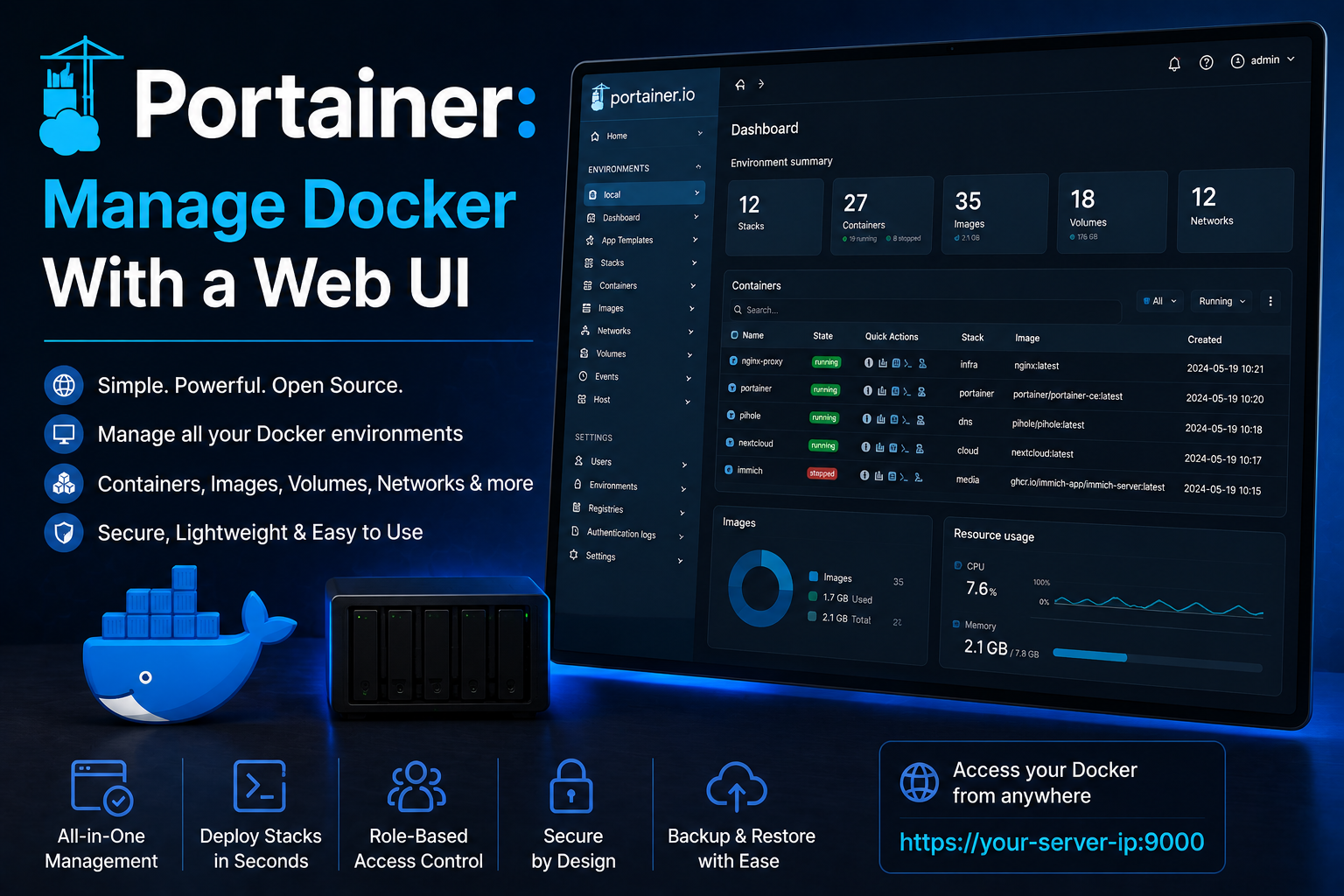
Portainer gives homelab administrators a web UI for Docker and Kubernetes: container logs, volume inspection, stack deployment from Git, and role-based access when multiple household members help operate the lab. Running Portainer in Docker is meta—you manage Docker from a container—but the pattern is standard because upgrades stay isolated and the socket mount is well understood. This guide covers Portainer CE with Docker Compose, hardening, reverse-proxy placement, backups, and operational habits that keep the UI from becoming the weakest link on the host.
Prerequisites
Install Docker Engine and Compose v2 on your management host. Portainer needs access to
/var/run/docker.sock or a remote Docker endpoint over TLS. For multi-node labs, plan Portainer
Agents on workers. Choose a URL (portainer.example.com) and TLS strategy—Traefik, Caddy, or LAN-only
on port 9443. Create persistent storage for Portainer's database; losing portainer_data loses users,
endpoints, and stack definitions unless you export them separately.
Docker Compose stack
Create ~/docker/portainer/docker-compose.yml:
services:
  portainer:
    image: portainer/portainer-ce:2.21.5
    container_name: portainer
    restart: unless-stopped
    security_opt:
      - no-new-privileges:true
    volumes:
      - portainer_data:/data
      - /var/run/docker.sock:/var/run/docker.sock
    networks:
      - proxy
    labels:
      - traefik.enable=true
      - traefik.http.routers.portainer.rule=Host(`portainer.example.com`)
      - traefik.http.routers.portainer.entrypoints=websecure
      - traefik.http.routers.portainer.tls.certresolver=le
      - traefik.http.services.portainer.loadbalancer.server.port=9000

volumes:
  portainer_data:

networks:
  proxy:
    external: true
First visit may be HTTPS on port 9443 if you publish it directly; behind Traefik use port 9000 as above. Create the admin user immediately; Portainer allows a short window on first boot where credentials are unset.
Initial configuration
Add your local Docker environment as an endpoint if not auto-detected. Explore Stacks to deploy Compose from a web editor or Git repository—store compose files in git and paste URLs for reproducibility. Enable webhook redeploys only with protected secrets. Create non-admin users for family members who need logs but not volume deletion. Turn on Force HTTPS when publishing through a reverse proxy. Review Settings → Edge only if you use Edge agents; most homelabs use standard agents or local socket only.
Security notes
The Docker socket is root-equivalent on the host. Compromise of Portainer equals compromise of every container and volume. Restrict network access to the UI, use strong passwords or SSO via OAuth providers supported in Business Edition, and keep Portainer updated. Do not expose Portainer to the internet without MFA where available and IP allowlisting. Audit who has administrator role quarterly. Disable unused endpoints and remove old API keys. Prefer deploying stacks from git with read-only deploy keys over embedding secrets in Portainer environment fields—use Docker secrets or external vaults where possible.
Backup
Back up the portainer_data volume: docker run --rm -v portainer_data:/data -v $(pwd):/backup alpine
tar czf /backup/portainer_data.tgz -C /data .. Export stack definitions from git, not only from Portainer,
because the UI database does not replace infrastructure-as-code. Document endpoint URLs and agent join tokens
offline. Test restore on a staging VM annually.
Reverse proxy context
Place Portainer behind Traefik or Caddy with TLS and optional forward-auth (Authelia, Authentik). Set
X-Forwarded-Proto correctly so Portainer generates HTTPS links. WebSocket support is required for
exec and some live views—avoid buffering. If you use subpaths, follow Portainer docs for --base-url;
subdomains are simpler. Internal-only alternative: Tailscale Serve on port 9443 without public DNS.
Troubleshooting
Unable to connect to Docker usually means socket permissions or wrong endpoint type—verify
/var/run/docker.sock mount. Invalid SSL certificate behind proxy: fix forwarded headers or set
Portainer public URL in settings. Stacks stuck deploying often indicate compose syntax errors or
missing external networks—deploy the same file with docker compose CLI to see errors. High memory in
Portainer UI can be large container lists on busy hosts; archive unused endpoints.
Key takeaways
Portainer accelerates homelab operations but concentrates risk via the Docker socket. Pair it with TLS, network segmentation, git-backed stacks, and regular volume backups. Treat administrator accounts sparingly and prefer CLI or CI for destructive changes when learning.
Homelab operators should treat documentation as part of the deployment: record image tags,
volume paths, environment variables, and the exact Compose file revision in your internal wiki
or git repository. When you rebuild the host six months later, those notes prevent guesswork
about which UID owned a bind mount or which DNS name the reverse proxy expected. Version-control
your stack directory and review diffs before docker compose up -d, especially when labels or
network names change.
Capacity planning remains underrated in small labs. Monitor CPU, memory, disk I/O, and network utilization for a full week under normal household load before declaring hardware sufficient. Burst workloads—library scans, backup deduplication, VPN throughput tests, or 4K transcodes—often define minimum specs more than idle dashboards. Leave headroom for OS updates and one misbehaving container without cascading failures across unrelated services.
Change management applies even when you are the only administrator. Take volume snapshots or
export application backups before major upgrades. Roll back by restoring the previous Compose
file and pinned image digest, not by improvising latest tags under pressure. If you integrate
with Home Assistant, Authentik, or Authelia later, note which services assumed anonymous LAN
access so you can tighten authentication deliberately rather than breaking automations overnight.
Network segmentation pays dividends when a guest Wi-Fi VLAN, IoT subnet, and management LAN coexist. Place management UIs on administrative networks, expose only reverse-proxied HTTPS endpoints where required, and default-deny east-west traffic between VLANs except established flows you document. Logs sent to Loki or a centralized syslog host make correlating reverse-proxy errors with container restarts far faster than SSHing into each machine during an incident.
Homelab operators should treat documentation as part of the deployment: record image tags,
volume paths, environment variables, and the exact Compose file revision in your internal wiki
or git repository. When you rebuild the host six months later, those notes prevent guesswork
about which UID owned a bind mount or which DNS name the reverse proxy expected. Version-control
your stack directory and review diffs before docker compose up -d, especially when labels or
network names change.
Capacity planning remains underrated in small labs. Monitor CPU, memory, disk I/O, and network utilization for a full week under normal household load before declaring hardware sufficient. Burst workloads—library scans, backup deduplication, VPN throughput tests, or 4K transcodes—often define minimum specs more than idle dashboards. Leave headroom for OS updates and one misbehaving container without cascading failures across unrelated services.
Change management applies even when you are the only administrator. Take volume snapshots or
export application backups before major upgrades. Roll back by restoring the previous Compose
file and pinned image digest, not by improvising latest tags under pressure. If you integrate
with Home Assistant, Authentik, or Authelia later, note which services assumed anonymous LAN
access so you can tighten authentication deliberately rather than breaking automations overnight.
Network segmentation pays dividends when a guest Wi-Fi VLAN, IoT subnet, and management LAN coexist. Place management UIs on administrative networks, expose only reverse-proxied HTTPS endpoints where required, and default-deny east-west traffic between VLANs except established flows you document. Logs sent to Loki or a centralized syslog host make correlating reverse-proxy errors with container restarts far faster than SSHing into each machine during an incident.
Homelab operators should treat documentation as part of the deployment: record image tags,
volume paths, environment variables, and the exact Compose file revision in your internal wiki
or git repository. When you rebuild the host six months later, those notes prevent guesswork
about which UID owned a bind mount or which DNS name the reverse proxy expected. Version-control
your stack directory and review diffs before docker compose up -d, especially when labels or
network names change.