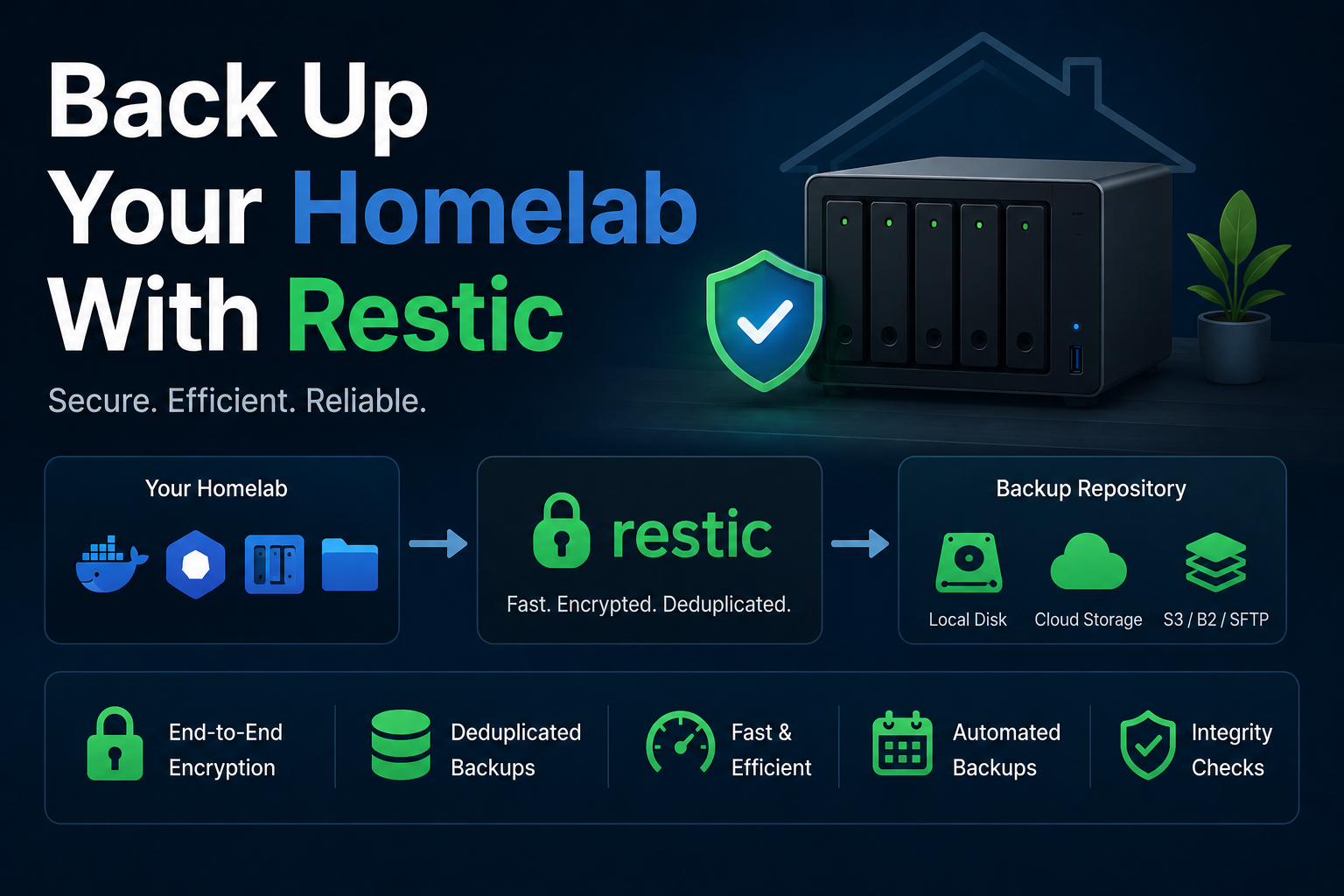
Restic is an encrypted, deduplicating backup program that speaks to local disks, SFTP, S3-compatible object storage, and dozens of backends through one CLI. Homelab operators pair Restic with Docker so backup jobs run in isolated containers with mounted data paths, scheduled via cron or Ofelia, and monitored with check scripts. Unlike tar copies, Restic provides snapshot semantics, retention policies, and verified restores—if you never test restore, you do not have backups. This guide deploys Restic in Docker, structures repositories, integrates with reverse-proxy-exposed apps only where needed, and documents security and troubleshooting patterns.
Prerequisites
Identify datasets: Docker volumes, NAS mounts, compose project directories, and databases requiring
dump hooks (PostgreSQL, MariaDB). Choose a backend—MinIO in the lab, Backblaze B2, Wasabi, or a USB disk
mounted at /backup. Set RESTIC_PASSWORD with a long random value stored in a password manager. Install
Docker and create ~/docker/restic. Ensure read access to source paths without running as root inside
containers when possible—use group permissions on bind mounts.
Docker Compose stack
services:
  restic:
    image: restic/restic:0.17.3
    container_name: restic
    hostname: homelab-restic
    restart: "no"
    environment:
      - RESTIC_REPOSITORY=s3:https://minio.example.com/homelab-backups
      - AWS_ACCESS_KEY_ID=${MINIO_ACCESS_KEY}
      - AWS_SECRET_ACCESS_KEY=${MINIO_SECRET_KEY}
      - RESTIC_PASSWORD=${RESTIC_PASSWORD}
      - TZ=America/New_York
    volumes:
      - /mnt/docker-volumes:/data:ro
      - /home/you/docker:/compose:ro
    entrypoint: /bin/sh
    command: -c "restic backup /data /compose --tag homelab && restic forget --keep-daily 7 --keep-weekly 4 --keep-monthly 6 --prune"
Run manually first, then schedule with host cron: docker compose run --rm restic. For SFTP backends,
use RESTIC_REPOSITORY=sftp:user@nas:/path. Init once: restic init.
Backup workflow
Separate file backups from database dumps. Example: docker exec postgres pg_dump -U app > /backup/db.sql
then include /backup in Restic paths. Tag snapshots (--tag jellyfin) for selective forget policies.
Run restic check monthly and restic restore --dry-run sampling quarterly. Keep repository password
and bucket credentials in distinct secret stores.
Security notes
Restic encrypts at rest; compromise of the bucket without the password yields ciphertext only. Still,
restrict object-store IAM to the backup prefix. Mount sources read-only. Do not bake RESTIC_PASSWORD into
images. For off-site copies, enable bucket versioning or replicate to a second region. Ransomware defense
requires immutable backups or air-gapped copies—Restic alone on a writable share is insufficient.
Backup of the backup system
Document repository URL, retention flags, and init date. Export restic snapshots output periodically.
Store the Restic password in your vault with estate instructions. If using MinIO, back up MinIO bucket
policies and erasure coding config separately.
Reverse proxy context
Restic containers typically do not need Traefik labels—they are batch jobs. MinIO console and S3 endpoints
may sit behind HTTPS proxies; use internal network URLs in RESTIC_REPOSITORY when the scheduler runs on
the same Docker host as MinIO (http://minio:9000) to avoid hairpinning through the public internet.
Troubleshooting
already exists on init means repository is initialized—proceed to backup. permission denied on
paths: fix UID/GID on bind mounts. Slow backups: exclude caches, node_modules, and transcoding temp dirs via
--exclude-file. lock stuck: restic unlock after verifying no job runs. High memory during prune is
normal; run prune during maintenance windows.
Key takeaways
Restic belongs in every homelab disaster-recovery plan. Docker wraps the CLI for consistent environments; retention and encrypted off-site copies matter more than backup UI polish. Automate, verify, and keep credentials out of git.
Homelab operators should treat documentation as part of the deployment: record image tags,
volume paths, environment variables, and the exact Compose file revision in your internal wiki
or git repository. When you rebuild the host six months later, those notes prevent guesswork
about which UID owned a bind mount or which DNS name the reverse proxy expected. Version-control
your stack directory and review diffs before docker compose up -d, especially when labels or
network names change.
Capacity planning remains underrated in small labs. Monitor CPU, memory, disk I/O, and network utilization for a full week under normal household load before declaring hardware sufficient. Burst workloads—library scans, backup deduplication, VPN throughput tests, or 4K transcodes—often define minimum specs more than idle dashboards. Leave headroom for OS updates and one misbehaving container without cascading failures across unrelated services.
Change management applies even when you are the only administrator. Take volume snapshots or
export application backups before major upgrades. Roll back by restoring the previous Compose
file and pinned image digest, not by improvising latest tags under pressure. If you integrate
with Home Assistant, Authentik, or Authelia later, note which services assumed anonymous LAN
access so you can tighten authentication deliberately rather than breaking automations overnight.
Network segmentation pays dividends when a guest Wi-Fi VLAN, IoT subnet, and management LAN coexist. Place management UIs on administrative networks, expose only reverse-proxied HTTPS endpoints where required, and default-deny east-west traffic between VLANs except established flows you document. Logs sent to Loki or a centralized syslog host make correlating reverse-proxy errors with container restarts far faster than SSHing into each machine during an incident.
Homelab operators should treat documentation as part of the deployment: record image tags,
volume paths, environment variables, and the exact Compose file revision in your internal wiki
or git repository. When you rebuild the host six months later, those notes prevent guesswork
about which UID owned a bind mount or which DNS name the reverse proxy expected. Version-control
your stack directory and review diffs before docker compose up -d, especially when labels or
network names change.
Capacity planning remains underrated in small labs. Monitor CPU, memory, disk I/O, and network utilization for a full week under normal household load before declaring hardware sufficient. Burst workloads—library scans, backup deduplication, VPN throughput tests, or 4K transcodes—often define minimum specs more than idle dashboards. Leave headroom for OS updates and one misbehaving container without cascading failures across unrelated services.
Change management applies even when you are the only administrator. Take volume snapshots or
export application backups before major upgrades. Roll back by restoring the previous Compose
file and pinned image digest, not by improvising latest tags under pressure. If you integrate
with Home Assistant, Authentik, or Authelia later, note which services assumed anonymous LAN
access so you can tighten authentication deliberately rather than breaking automations overnight.
Network segmentation pays dividends when a guest Wi-Fi VLAN, IoT subnet, and management LAN coexist. Place management UIs on administrative networks, expose only reverse-proxied HTTPS endpoints where required, and default-deny east-west traffic between VLANs except established flows you document. Logs sent to Loki or a centralized syslog host make correlating reverse-proxy errors with container restarts far faster than SSHing into each machine during an incident.
Homelab operators should treat documentation as part of the deployment: record image tags,
volume paths, environment variables, and the exact Compose file revision in your internal wiki
or git repository. When you rebuild the host six months later, those notes prevent guesswork
about which UID owned a bind mount or which DNS name the reverse proxy expected. Version-control
your stack directory and review diffs before docker compose up -d, especially when labels or
network names change.
Capacity planning remains underrated in small labs. Monitor CPU, memory, disk I/O, and network utilization for a full week under normal household load before declaring hardware sufficient. Burst workloads—library scans, backup deduplication, VPN throughput tests, or 4K transcodes—often define minimum specs more than idle dashboards. Leave headroom for OS updates and one misbehaving container without cascading failures across unrelated services.