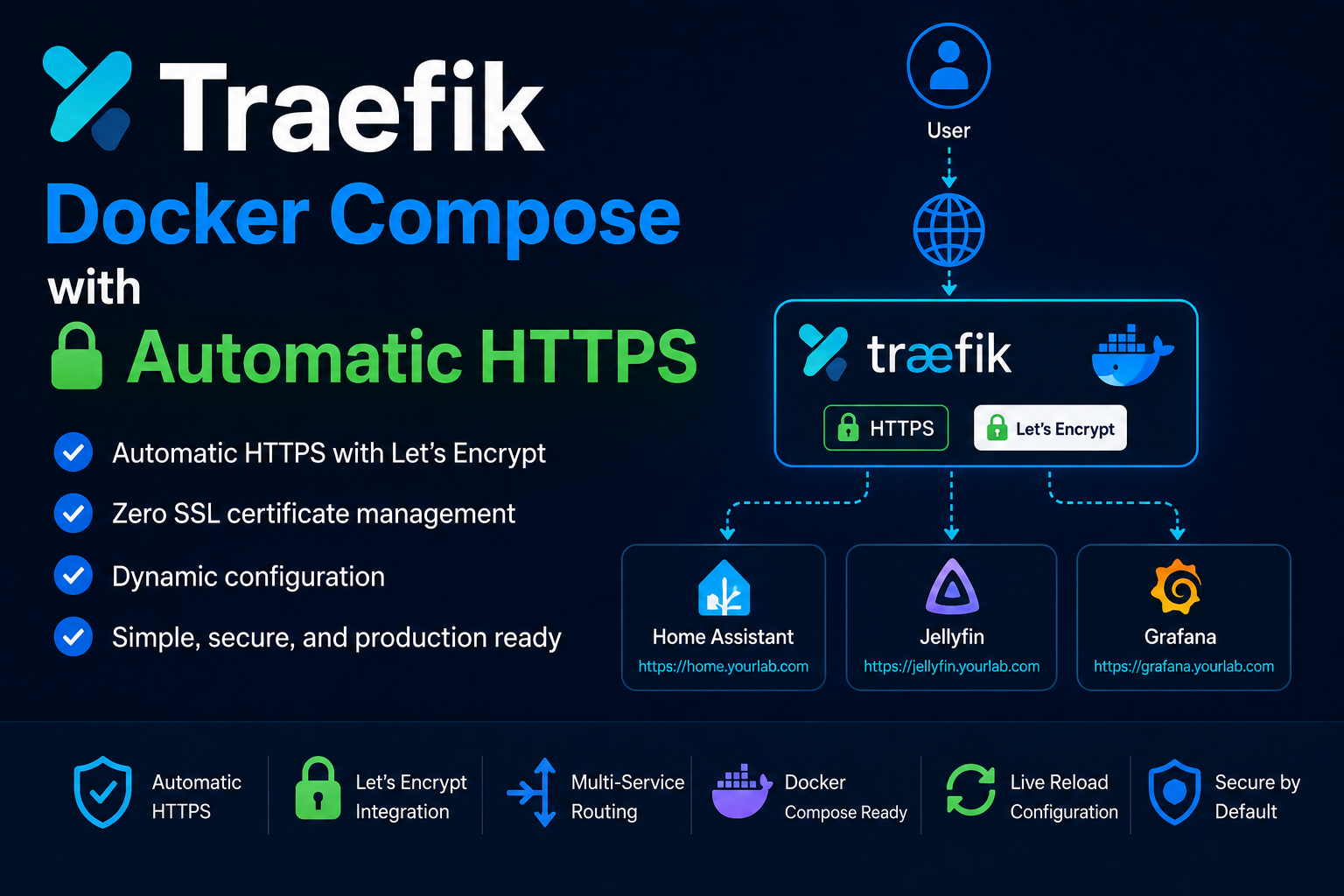
Traefik is a cloud-native reverse proxy and load balancer that fits homelabs because it discovers
Docker containers automatically, terminates TLS with Let's Encrypt, and routes HTTP and TCP traffic
without hand-editing Nginx for every new service. Running Traefik in Docker keeps it beside the
applications it fronts, shares Docker networks for backend connectivity, and makes upgrades a single
docker compose pull away. This guide deploys Traefik v3 with the Docker provider, ACME HTTP-01
certificates, secure dashboard access, and patterns you will reuse for Jellyfin, Vaultwarden, and
dozens of other stacks.
Prerequisites
You need a Linux host with Docker Engine 24+ and Compose v2, a public hostname pointing at your home
IP (or a Cloudflare Tunnel in front), and ports 80 and 443 reachable from the internet if you want
automated certificates via HTTP-01. Create an external Docker network named proxy that other stacks
will join: docker network create proxy. Decide whether Traefik's dashboard is LAN-only or protected
behind Authelia; never expose an unauthenticated dashboard publicly. Reserve a directory such as
~/docker/traefik for docker-compose.yml, acme.json, and static configuration.
Docker Compose stack
Create acme.json with permissions 600 before first boot—Traefik stores Let's Encrypt account keys
there. Example docker-compose.yml:
services:
  traefik:
    image: traefik:v3.2
    container_name: traefik
    restart: unless-stopped
    security_opt:
      - no-new-privileges:true
    networks:
      - proxy
    ports:
      - "80:80"
      - "443:443"
    environment:
      - TZ=America/New_York
    volumes:
      - /var/run/docker.sock:/var/run/docker.sock:ro
      - ./acme.json:/acme.json
      - ./dynamic:/dynamic
    command:
      - --api.dashboard=true
      - --providers.docker=true
      - --providers.docker.exposedbydefault=false
      - --providers.docker.network=proxy
      - --entrypoints.web.address=:80
      - --entrypoints.websecure.address=:443
      - --entrypoints.web.http.redirections.entrypoint.to=websecure
      - --entrypoints.web.http.redirections.entrypoint.scheme=https
      - --certificatesresolvers.le.acme.email=you@example.com
      - --certificatesresolvers.le.acme.storage=/acme.json
      - --certificatesresolvers.le.acme.httpchallenge.entrypoint=web
      - --log.level=INFO
      - --accesslog=true

networks:
  proxy:
    external: true
Bring the stack up with docker compose up -d. Traefik will listen on 80 and 443 and watch Docker
events for containers with Traefik labels.
Routing a backend service
Attach any application to the proxy network and add labels. Example for whoami:
services:
  whoami:
    image: traefik/whoami
    networks:
      - proxy
    labels:
      - traefik.enable=true
      - traefik.http.routers.whoami.rule=Host(`whoami.example.com`)
      - traefik.http.routers.whoami.entrypoints=websecure
      - traefik.http.routers.whoami.tls.certresolver=le
      - traefik.http.services.whoami.loadbalancer.server.port=80

networks:
  proxy:
    external: true
After docker compose up -d, browse to https://whoami.example.com and confirm the certificate is
valid. Use unique router names per service to avoid label collisions.
Security notes
Mount docker.sock read-only; Traefik still learns about every container on the host, so compromise
of Traefik is serious—keep the image updated and pin tags. Set exposedbydefault=false so only
labeled services publish. Protect the dashboard with middleware IP allowlists or forward-auth. Store
acme.json on persistent storage with backups but treat it as secret material. Disable insecure API
in production. If you cannot port-forward 80/443, use DNS-01 via Cloudflare or run Traefik behind
Cloudflare Tunnel with adjusted entrypoints.
Backup
Back up the Traefik project directory: docker-compose.yml, acme.json, and any files under
./dynamic for middleware or TLS options. Export your DNS provider API tokens from a secrets manager,
not from the compose file in git. After catastrophic loss, recreate the proxy network, restore
acme.json with correct permissions, and redeploy; Let's Encrypt rate limits apply if you re-issue
too aggressively.
Reverse proxy context
Traefik is the hinge between household clients and internal Docker services. Standardize on one
certresolver name (le) and entrypoint names (web, websecure) across all stacks so copy-paste
labels stay consistent. For WebSocket apps (Home Assistant, Portainer), avoid buffering middleware
unless you understand the trade-offs. TCP routers suit non-HTTP services such as Minecraft or SMTP
relays when you accept the complexity.
Troubleshooting
If certificates never issue, verify port 80 reaches Traefik and the router rule matches the hostname
Let's Encrypt requests. Check docker logs traefik for ACME errors. HTTP routing loops often mean a
redirect middleware fights the app's own HTTPS. 404 from Traefik usually means missing traefik.enable
or wrong loadbalancer.server.port. Backend connection refused means the container is not on proxy
or listens on a different internal port than the label declares.
Key takeaways
Traefik automates homelab routing when you enforce labels, external networks, and pinned images.
Centralize TLS on Traefik, keep acme.json backed up, and never expose the Docker socket more than
read-only. Document router names and hostnames per service so your future self can add stacks without
breaking existing routes.
Homelab operators should treat documentation as part of the deployment: record image tags,
volume paths, environment variables, and the exact Compose file revision in your internal wiki
or git repository. When you rebuild the host six months later, those notes prevent guesswork
about which UID owned a bind mount or which DNS name the reverse proxy expected. Version-control
your stack directory and review diffs before docker compose up -d, especially when labels or
network names change.
Capacity planning remains underrated in small labs. Monitor CPU, memory, disk I/O, and network utilization for a full week under normal household load before declaring hardware sufficient. Burst workloads—library scans, backup deduplication, VPN throughput tests, or 4K transcodes—often define minimum specs more than idle dashboards. Leave headroom for OS updates and one misbehaving container without cascading failures across unrelated services.
Change management applies even when you are the only administrator. Take volume snapshots or
export application backups before major upgrades. Roll back by restoring the previous Compose
file and pinned image digest, not by improvising latest tags under pressure. If you integrate
with Home Assistant, Authentik, or Authelia later, note which services assumed anonymous LAN
access so you can tighten authentication deliberately rather than breaking automations overnight.
Network segmentation pays dividends when a guest Wi-Fi VLAN, IoT subnet, and management LAN coexist. Place management UIs on administrative networks, expose only reverse-proxied HTTPS endpoints where required, and default-deny east-west traffic between VLANs except established flows you document. Logs sent to Loki or a centralized syslog host make correlating reverse-proxy errors with container restarts far faster than SSHing into each machine during an incident.
Homelab operators should treat documentation as part of the deployment: record image tags,
volume paths, environment variables, and the exact Compose file revision in your internal wiki
or git repository. When you rebuild the host six months later, those notes prevent guesswork
about which UID owned a bind mount or which DNS name the reverse proxy expected. Version-control
your stack directory and review diffs before docker compose up -d, especially when labels or
network names change.
Capacity planning remains underrated in small labs. Monitor CPU, memory, disk I/O, and network utilization for a full week under normal household load before declaring hardware sufficient. Burst workloads—library scans, backup deduplication, VPN throughput tests, or 4K transcodes—often define minimum specs more than idle dashboards. Leave headroom for OS updates and one misbehaving container without cascading failures across unrelated services.
Change management applies even when you are the only administrator. Take volume snapshots or
export application backups before major upgrades. Roll back by restoring the previous Compose
file and pinned image digest, not by improvising latest tags under pressure. If you integrate
with Home Assistant, Authentik, or Authelia later, note which services assumed anonymous LAN
access so you can tighten authentication deliberately rather than breaking automations overnight.
Network segmentation pays dividends when a guest Wi-Fi VLAN, IoT subnet, and management LAN coexist. Place management UIs on administrative networks, expose only reverse-proxied HTTPS endpoints where required, and default-deny east-west traffic between VLANs except established flows you document. Logs sent to Loki or a centralized syslog host make correlating reverse-proxy errors with container restarts far faster than SSHing into each machine during an incident.