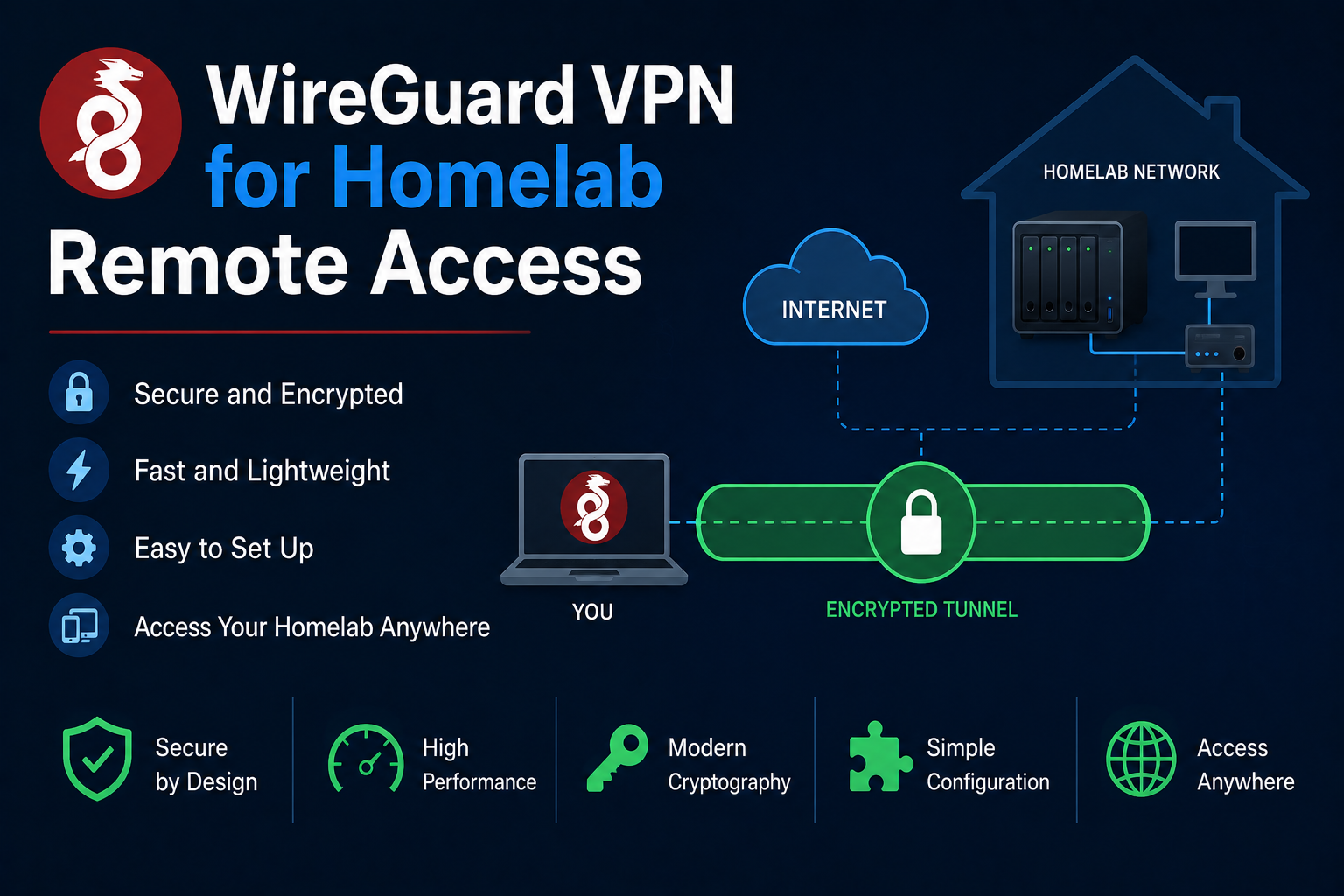
WireGuard replaces legacy IPsec and OpenVPN complexity with a small kernel module, modern cryptography,
and configuration files short enough to audit in minutes. Homelab operators use WireGuard for remote
admin access, routing entire phone traffic through home for DNS filtering, and secure east-west links
between sites without exposing management ports on the public internet. This guide deploys WireGuard in
Docker with linuxserver/wireguard, integrates split-tunnel and full-tunnel policies, covers firewall
rules, reverse-proxy coexistence, backups, and troubleshooting common NAT failures.
Prerequisites
You need a Linux host with kernel WireGuard support, UDP port forwarding from your router to the
container host (default 51820), and a static public IP or dynamic DNS name. Install Docker and create
a project directory. Decide peer count—phones, laptops, a friend's access—and whether clients use full
tunnel (AllowedIPs = 0.0.0.0/0) or split tunnel (home subnets only). Gather your LAN CIDR, e.g.
192.168.1.0/24, and the Docker bridge range if you route container traffic.
Docker Compose stack
services:
  wireguard:
    image: lscr.io/linuxserver/wireguard:latest
    container_name: wireguard
    restart: unless-stopped
    cap_add:
      - NET_ADMIN
      - SYS_MODULE
    environment:
      - PUID=1000
      - PGID=1000
      - TZ=America/New_York
      - SERVERURL=vpn.example.com
      - SERVERPORT=51820
      - PEERS=3
      - PEERDNS=192.168.1.1
      - INTERNAL_SUBNET=10.13.13.0
      - ALLOWEDIPS=192.168.1.0/24
    volumes:
      - ./config:/config
      - /lib/modules:/lib/modules:ro
    ports:
      - "51820:51820/udp"
    sysctls:
      - net.ipv4.conf.all.src_valid_mark=1
After docker compose up -d, QR codes and peer configs appear under ./config/peer*. Import into the
WireGuard mobile app or desktop client. Pin image tags for production.
Routing and firewall
Enable IP forwarding on the host: sysctl net.ipv4.ip_forward=1 persisted in sysctl.d. Add MASQUERADE
on the outbound interface so VPN clients reach LAN and internet when intended. On pfSense or OPNsense,
forward UDP 51820 to the Docker host. Restrict PostUp iptables rules to necessary interfaces. If only
homelab admin is required, set ALLOWEDIPS to RFC1918 ranges for your sites, not the entire internet.
Security notes
Private keys live in ./config; back up encrypted and never commit to git. Rotate peers when devices are
lost. Use separate peers per device so revocation is granular. Keep the container updated; kernel module
mismatches after host kernel upgrades can break tunnels until reboot. Do not expose unrelated services on
the VPN endpoint host without segmentation—VPN members effectively join your trusted network.
Backup
Archive ./config including wg0.conf and peer directories. Document SERVERURL, port, and firewall rules.
Restore on a new host by copying config, matching UDP port forward, and updating peer endpoint if your
public IP changed—clients may need refreshed endpoint hostnames via DDNS.
Reverse proxy context
WireGuard is UDP and does not traverse HTTP reverse proxies. Traefik and Caddy front HTTP apps on the same
host without conflict as long as port 51820 remains dedicated. For HTTPS-only networks, remember VPN is
orthogonal—users still hit https://jellyfin.example.com over the tunnel. Optionally run internal DNS
on the LAN so split-tunnel clients resolve *.example.com to private addresses while connected.
Troubleshooting
Handshake failures: verify UDP forward, public IP, and clock skew. No LAN access: check IP forwarding and
MASQUERADE. DNS leaks on full tunnel: set PEERDNS to Pi-hole or AdGuard on the LAN. Android kills idle
tunnels—disable battery optimization for WireGuard. After kernel updates, restart the container or host.
Key takeaways
WireGuard is the default homelab VPN for performance and simplicity. Docker packaging accelerates peer generation but host networking and firewall rules remain your responsibility. Backup configs, limit peer scope, and test from cellular, not just Wi-Fi.
Homelab operators should treat documentation as part of the deployment: record image tags,
volume paths, environment variables, and the exact Compose file revision in your internal wiki
or git repository. When you rebuild the host six months later, those notes prevent guesswork
about which UID owned a bind mount or which DNS name the reverse proxy expected. Version-control
your stack directory and review diffs before docker compose up -d, especially when labels or
network names change.
Capacity planning remains underrated in small labs. Monitor CPU, memory, disk I/O, and network utilization for a full week under normal household load before declaring hardware sufficient. Burst workloads—library scans, backup deduplication, VPN throughput tests, or 4K transcodes—often define minimum specs more than idle dashboards. Leave headroom for OS updates and one misbehaving container without cascading failures across unrelated services.
Change management applies even when you are the only administrator. Take volume snapshots or
export application backups before major upgrades. Roll back by restoring the previous Compose
file and pinned image digest, not by improvising latest tags under pressure. If you integrate
with Home Assistant, Authentik, or Authelia later, note which services assumed anonymous LAN
access so you can tighten authentication deliberately rather than breaking automations overnight.
Network segmentation pays dividends when a guest Wi-Fi VLAN, IoT subnet, and management LAN coexist. Place management UIs on administrative networks, expose only reverse-proxied HTTPS endpoints where required, and default-deny east-west traffic between VLANs except established flows you document. Logs sent to Loki or a centralized syslog host make correlating reverse-proxy errors with container restarts far faster than SSHing into each machine during an incident.
Homelab operators should treat documentation as part of the deployment: record image tags,
volume paths, environment variables, and the exact Compose file revision in your internal wiki
or git repository. When you rebuild the host six months later, those notes prevent guesswork
about which UID owned a bind mount or which DNS name the reverse proxy expected. Version-control
your stack directory and review diffs before docker compose up -d, especially when labels or
network names change.
Capacity planning remains underrated in small labs. Monitor CPU, memory, disk I/O, and network utilization for a full week under normal household load before declaring hardware sufficient. Burst workloads—library scans, backup deduplication, VPN throughput tests, or 4K transcodes—often define minimum specs more than idle dashboards. Leave headroom for OS updates and one misbehaving container without cascading failures across unrelated services.
Change management applies even when you are the only administrator. Take volume snapshots or
export application backups before major upgrades. Roll back by restoring the previous Compose
file and pinned image digest, not by improvising latest tags under pressure. If you integrate
with Home Assistant, Authentik, or Authelia later, note which services assumed anonymous LAN
access so you can tighten authentication deliberately rather than breaking automations overnight.
Network segmentation pays dividends when a guest Wi-Fi VLAN, IoT subnet, and management LAN coexist. Place management UIs on administrative networks, expose only reverse-proxied HTTPS endpoints where required, and default-deny east-west traffic between VLANs except established flows you document. Logs sent to Loki or a centralized syslog host make correlating reverse-proxy errors with container restarts far faster than SSHing into each machine during an incident.
Homelab operators should treat documentation as part of the deployment: record image tags,
volume paths, environment variables, and the exact Compose file revision in your internal wiki
or git repository. When you rebuild the host six months later, those notes prevent guesswork
about which UID owned a bind mount or which DNS name the reverse proxy expected. Version-control
your stack directory and review diffs before docker compose up -d, especially when labels or
network names change.
Capacity planning remains underrated in small labs. Monitor CPU, memory, disk I/O, and network utilization for a full week under normal household load before declaring hardware sufficient. Burst workloads—library scans, backup deduplication, VPN throughput tests, or 4K transcodes—often define minimum specs more than idle dashboards. Leave headroom for OS updates and one misbehaving container without cascading failures across unrelated services.